Blog

  • Effective Strategies for Testing Plugins: Best Practices that Set You Apart

    Effective Strategies for Testing Plugins: Best Practices that Set You Apart

    In the fast-paced world of plugin development, ensuring quality through effective testing is paramount. As developers focus on creating innovative functionalities, the strength of a plugin often lies in its reliability and performance. Testing plugins isn’t just an optional step; it’s a crucial best practice that can make or break user experience. In this article, we delve into best practices for testing plugins, exploring emerging trends and strategies that help developers enhance their products and maintain user trust.

    Understand Your Testing Environment

    Understand Your Testing Environment

    Creating a robust testing environment is the first step in plugin development. Developers should set up a staging environment that mirrors the live system to ensure tests are even more relevant. This helps in identifying and fixing issues before they reach your end-users. As Michael O’Neill, a software testing consultant, says, "A well-maintained staging environment saves time and reduces the error rate in production." Investing time in setting up this environment pays off significantly, allowing for thorough testing and minimizing future headaches.

    Automate Where Possible

    Automate Where Possible

    With the growing complexity of plugin functionalities, automation has become an indispensable tool in testing. Automated testing tools can execute repetitive tasks, ensuring that your plugin functions correctly across different scenarios without constant manual oversight. Tools like Selenium and PHPUnit allow for the execution of unit, integration, and functional tests, effectively covering a vast array of possibilities. According to Lillian Swanson, a software engineer, "Automation not only speeds up the testing process but also increases accuracy, eliminating the human error factor."nBy incorporating automation, developers can focus on more creative tasks while trusting that their tests will run smoothly.
    Incorporate User Feedback Early

    Incorporate User Feedback Early

    Listening to users isn’t just beneficial post-launch; gathering feedback during the testing phase can significantly improve plugin quality. Conduct beta testing among a select group of users, allowing them to explore and report any issues they encounter. This approach not only enriches the testing process by providing diverse user experiences but also fosters community engagement. Accessing real user scenarios can help identify usability issues that developers may never consider. "Beta testing unlocks invaluable insights that can drive the final phases of development, ensuring a smoother public launch," suggests Amy Robinson, a product manager.

    Test for Performance and Compatibility

    Test for Performance and Compatibility

    In a world filled with various platforms and environments, testing for performance and compatibility is vital. Developers must ensure that their plugins function seamlessly across all targeted platforms, including different browsers and operating systems. Performance testing helps assess how well the plugin handles traffic spikes, running loads or queries. Utilizing tools like Apache JMeter allows developers to simulate user traffic and gauge real-world performance metrics. As Steve Harrison, a performance analyst, remarks, "A plugin that lags or crashes under pressure is a one-way ticket to losing users. Prioritizing performance keeps your users happy and retained."

    Keep Security at the Forefront

    Keep Security at the Forefront

    In the age of cyber threats, plugin developers need to prioritize security during the testing phase. Implementing security testing tools ensures that vulnerabilities are addressed early in the development process. Automated security scans can detect issues like SQL injection or cross-site scripting, which could compromise user data and trust in your plugin. Regular security audits should be part of your testing routine. As cybersecurity expert Arnold Schmidt advises, "Failing to secure your plugin can have catastrophic consequences. Prioritize security testing; it protects both your users and your reputation."

    Document Everything Thoroughly

    Document Everything Thoroughly

    Documentation may not seem like a hands-on test practice, but it plays a crucial role in effective plugin testing. Maintaining detailed records of testing processes, bugs found, and resolutions applied helps ensure accountability and transparency within the development team. Good documentation serves as a resource for future updates, where developers can quickly refer back to earlier issues and solutions. As noted by Laura Cheng, a technical writer, "Well-kept documentation is the backbone of development practice. It eases onboarding processes and enhances collaboration among team members."

    Conduct Accessibility Testing

    Conduct Accessibility Testing

    With a growing emphasis on inclusivity, accessibility testing has emerged as a pivotal aspect of plugin development. Ensuring that your plugins are usable by people with disabilities not only broadens your user base but also complies with various legal standards. Utilizing tools like Axe or Lighthouse can help identify potential accessibility issues. Ensuring your plugin is compatible with screen readers or considers color contrast can significantly impact user experience. "Accessibility is not just a checkbox; it’s about making sure all users can benefit from your plugin," says Patricia Collins, a user experience designer.

    Effective testing strategies are not just about finding bugs; they are about ensuring the best possible user experience and fostering trust within your community. By committing to these best practices, developers can elevate their plugins and their reputation in the industry. Readers are encouraged to share their thoughts, experiences, and questions in the comments. Let’s continue the conversation on improving plugin development practices together!

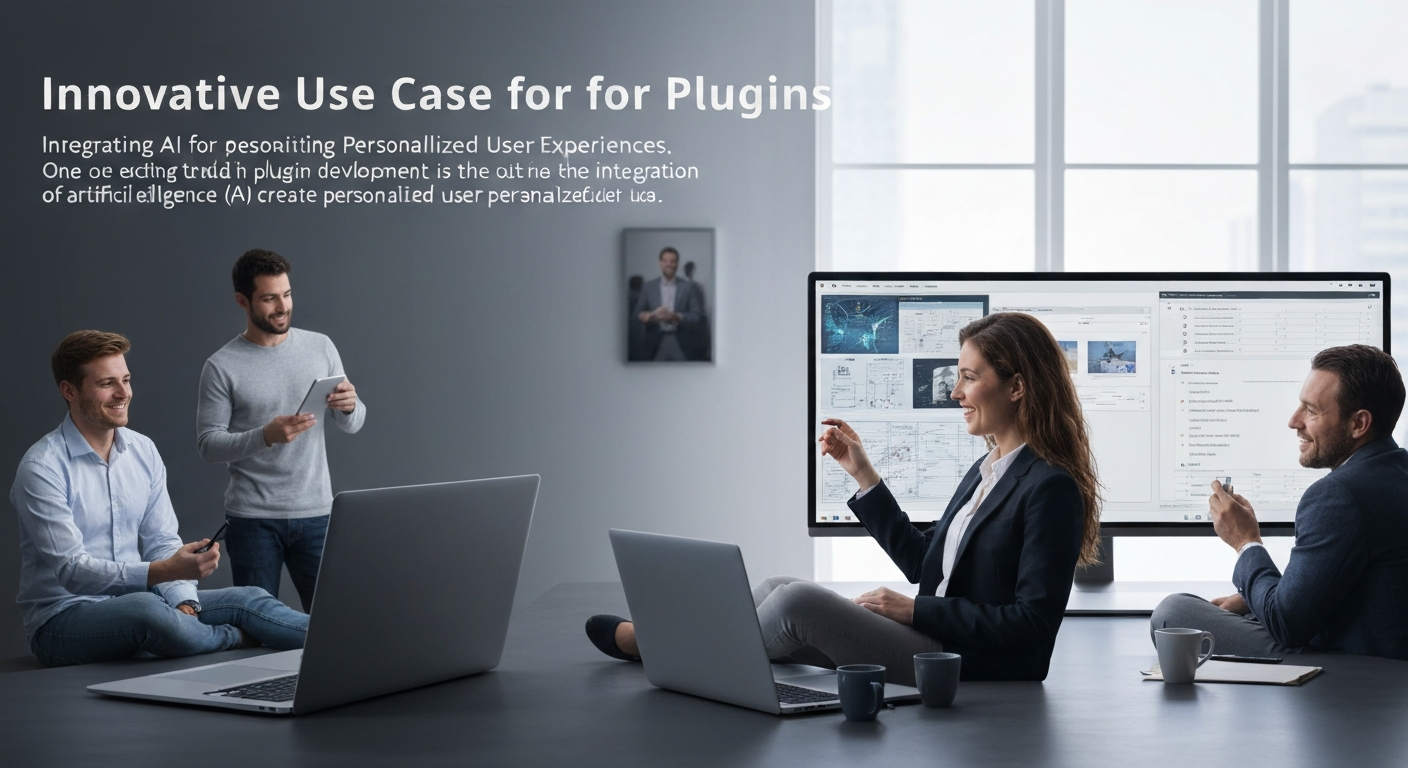
  • Unlocking Creativity: Innovative Use Cases for Plugins Transforming Industries

    Unlocking Creativity: Innovative Use Cases for Plugins Transforming Industries

    The world of plugin development is evolving at a rapid pace, as developers explore creative and innovative use cases that extend functionalities across various platforms. Whether you’re a website owner, e-commerce entrepreneur, or app developer, understanding how plugins can innovate and enhance user experience is crucial. This article dives into the latest emerging trends in plugin development to reveal the innovative use cases that are reshaping industries today.

    Integrating AI for Personalized User Experiences

    Integrating AI for Personalized User Experiences

    One of the most exciting trends in plugin development is the integration of artificial intelligence (AI) to create personalized user experiences. Plugins are now utilizing AI algorithms to analyze user behavior, tailoring content and recommendations to meet individual needs. For instance, e-commerce platforms employ AI plugins to suggest products based on previous purchases and browsing history. As tech expert and founder of TechCrunch, Michael Arrington stated, "Using AI in plugin development not only enhances functionality but also transforms user engagement through customization." This trend is especially beneficial for boosting conversion rates in online retail.

    Enhancing Web Accessibility with Smart Plugins

    Enhancing Web Accessibility with Smart Plugins

    Accessibility is more than just a choice; it’s a necessity in today’s digital landscape. Innovative plugins are emerging to enhance web accessibility, ensuring that all users can navigate and interact with websites effectively. For example, plugins that provide text-to-speech, keyboard navigation aids, or color contrast adjustments are becoming increasingly popular. According to the Web Accessibility Initiative, 15% of the world’s population has some form of disability, making these plugins invaluable. By prioritizing inclusivity through innovative solutions, developers not only adhere to best practices but also widen their audience.

    Automating Workflows through Task Management Plugins

    Automating Workflows through Task Management Plugins

    The rise of remote work has fostered the need for automation tools that enhance productivity. Task management plugins are innovating how teams collaborate and manage projects. These tools allow users to automate repetitive tasks, streamline communication, and track project progress in real time. For example, plugins like Zapier enable automation between various applications, reducing the need for manual updates. As productivity expert and author David Allen notes, "Your mind is for having ideas, not holding them," highlighting the importance of offloading tedious assignments to focus on creativity and strategic thinking.

    Evolving Content Marketing with SEO-Driven Plugins

    Evolving Content Marketing with SEO-Driven Plugins

    For content creators, having the right tools at their disposal can significantly enhance SEO efforts. SEO-driven plugins are innovating how marketers approach content optimization, offering features such as keyword tracking, performance analysis, and automated suggestions for improvements. A prime example is Yoast SEO, which provides actionable insights as users create blog posts, ensuring content is search-engine friendly. As noted by search expert Neil Patel, "SEO doesn’t have to be complicated. With the right plugins, even beginners can optimize their content effectively," demonstrating how these tools can bridge the gap between novice and expert alike.

    Building Community Engagement with Interactive Plugins

    Building Community Engagement with Interactive Plugins

    Engagement is key to building strong online communities, and interactive plugins have become powerful tools for fostering this connection. Plugins that enable features like polls, quizzes, or community forums can significantly enhance user interaction. For instance, plugins such as BuddyPress allow website owners to create social networking features within their platforms. Community engagement consultant, Vanessa Van Edwards, suggests that "the more interactive your content, the more likely users are to engage and return for more," emphasizing the importance of tools that facilitate active participation.

    Facilitating E-Learning with Educational Plugins

    Facilitating E-Learning with Educational Plugins

    The surge in online education has sparked a wave of innovation in e-learning plugins, enhancing the way learners interact with content. These plugins support features like quizzes, course tracking, and community discussions, ultimately enriching the learning experience. LearnDash, for instance, is an innovative plugin that transforms WordPress sites into fully functional learning management systems. As education technologist and author Curtis Bonk explains, "The right plugins can turn any website into a tool for online learning, making education accessible and engaging for everyone," thus showcasing the vital role of plugins in modern education.

    As the landscape of plugin development continues to evolve, embracing innovative use cases can significantly enhance functionalities across various platforms. The integration of AI, web accessibility improvements, workflow automation, content marketing enhancement, community engagement, and e-learning capabilities showcase the versatility and potential of plugins. It’s an exciting time for developers and users alike as they explore these transformative tools. Readers are encouraged to share their thoughts, experiences, and any innovative plugins they’ve encountered, fostering a community of knowledge and exploration.

  • Revolutionizing User Experience: The Role of AI in Plugin Development

    Revolutionizing User Experience: The Role of AI in Plugin Development

    As the digital landscape continues to evolve, plugin development is at the forefront of innovation. Among the key players in this evolution is Artificial Intelligence (AI), set to transform how developers create plugins for everything from content management systems to web applications. Understanding AI’s role in plugin development is essential for staying competitive and providing users with unmatched experiences. This article will explore the emerging trends centered around AI that promise to shape the future of plugins.

    Enhanced Personalization Through AI

    Enhanced Personalization Through AI

    One of the most significant advantages of integrating AI into plugin development is the ability to offer personalized user experiences. AI algorithms can analyze user behavior and preferences, allowing plugins to deliver content tailored precisely to individual needs. For instance, e-commerce plugins can leverage AI to recommend products based on users’ past purchases and browsing history. AI expert and co-founder of the AI company Koko, Justin Mares, stated, ‘Personalization will no longer be an optional feature; rather, it will become the standard that users expect.’ This means that developers must focus on employing machine learning models that adapt to user interactions to keep them engaged.

    Automation in Development Processes

    Automation in Development Processes

    AI is also revolutionizing the plugin development lifecycle by automating various processes. From code generation to debugging, AI tools can streamline development, drastically reducing the time it takes to build and maintain plugins. For example, automation tools like GitHub Copilot can assist developers by suggesting code snippets as they type. This not only increases efficiency but also helps new developers learn best practices by providing contextual code suggestions. As AI continues to evolve, expect more tools that aid in automating testing and deployment, thus reducing the workload on developers significantly.

    Improved User Support with AI-driven Chatbots

    Improved User Support with AI-driven Chatbots

    AI-driven chatbots are transforming user support in the plugin space. These chatbots can provide instantaneous responses to user queries, significantly enhancing the user experience. Rather than sifting through documentation or waiting for human support, users can receive real-time assistance. Chatbots powered by natural language processing can understand user queries and offer solutions tailored to specific plugin issues. John McCarthy, a prominent figure in AI, mentioned that ‘the ability of machines to understand language could transform how users interact with software.’ This is particularly beneficial for complex plugins where users may struggle to utilize full functionality without guidance.

    Predictive Analytics for Performance Enhancement

    Predictive Analytics for Performance Enhancement

    Another trend shaping the future of AI in plugin development is predictive analytics. By analyzing data from user interactions, AI can predict future behavior and performance issues. This allows developers to proactively make adjustments to plugins, enhancing stability and user satisfaction. Performance metrics can also guide developers in making data-driven decisions about feature updates or enhancements. According to Gartner, ‘Organizations using predictive analytics will increase their revenue by 20% over those relying solely on historical data.’ Leveraging AI for predictive capabilities will not only improve user experiences but also drive innovation in plugin features.

    AI for Enhanced Security Measures

    AI for Enhanced Security Measures

    In an era where cybersecurity threats are rampant, AI is playing a pivotal role in ensuring the security of plugins. AI systems can analyze patterns among thousands of data points to detect anomalies that suggest security breaches. This proactive approach to security helps developers patch vulnerabilities before they can be exploited. Plugins that integrate AI-powered security not only protect user data but also build trust. Cybersecurity expert Bruce Schneier stated, ‘Security is not a product, but a process.’ Development teams must embed AI-driven security measures throughout the entire plugin development lifecycle, from inception to deployment.

    Incorporating AI into plugin development is not merely a trend but a necessity for staying relevant in a competitive landscape. As AI continues to shape how products are developed, businesses must adapt to harness its full potential for enhanced user experiences, automation, and security. Readers are encouraged to explore these trends further, share their thoughts in the comments, and join the conversation about how AI will shape the future of technology.

  • Maximize Efficiency: Proven Strategies for Optimizing Plugin Performance

    Maximize Efficiency: Proven Strategies for Optimizing Plugin Performance

    In the ever-evolving digital landscape, optimizing plugin performance can significantly enhance user experiences and streamline website functionality. Whether you are managing a blog, an e-commerce site, or a corporate platform, the right optimizations can elevate your site’s speed, responsiveness, and functionality. This article explores successful case studies and offers actionable insights on the best practices for plugin performance optimization.

    Understand Your Workflow: Selection Matters

    Understand Your Workflow: Selection Matters

    Choosing plugins that align with your website’s goals is crucial. For instance, an e-commerce store may benefit from lightweight plugins that enhance checkout speed, while a blog might prioritize SEO-enhancing plugins. According to Yoast co-founder Joost de Valk, ‘Choosing the right plugin is half the battle; the other half is using it wisely.’ Always evaluate the necessity of each plugin and consider its impact on load times.

    Regular Updates: Stay Current and Secure

    Regular Updates: Stay Current and Secure

    Keeping plugins updated is vital in optimizing performance. Outdated plugins can lead to security vulnerabilities and compatibility issues. For example, a major WordPress security breach in 2018 was partially attributed to outdated plugins. Regularly scheduling updates ensures that plugins are running smoothly and efficiently, according to cybersecurity expert Troy Mursch, who asserts, ‘Plugins must be actively maintained to protect websites from vulnerabilities.’

    Minimize Plugin Overload: Less is More

    Minimize Plugin Overload: Less is More

    Using too many plugins can bloat your website, slowing down performance. A successful implementation case involved a travel blogging site that reduced its plugins from 30 to 10, leading to a 50% increase in load speed. Website performance consultant Thomas Griffin advises, ‘Evaluate whether each plugin is critical to your site’s primary purpose; if not, consider deactivating it.’ A leaner plugin structure results in a faster, more agile website.

    Optimize Settings: Fine-Tuning for Speed

    Optimize Settings: Fine-Tuning for Speed

    Each plugin comes with settings that can drastically affect performance. For instance, image optimization plugins often have adjustable compression settings. Correctly configuring these settings can accelerate load times significantly. ‘Optimizing plugin settings is like tuning a musical instrument—it brings out the best performance,’ says SEO expert Brian Dean. Always review plugin documentation to discover recommended settings for optimal performance.

    Caching Solutions: Enhancing Load Times

    Caching Solutions: Enhancing Load Times

    Implementing caching plugins can drastically improve website speed by storing static versions of pages. A successful e-commerce site saw a 40% decrease in load times after introducing a caching solution. WordPress developer Chris Coyier notes, ‘Caching is the quickest way to improve site speed because it minimizes server load and enhances user experience.’ Regularly clear cache to ensure your site runs the latest version of content.

    Test and Measure: Using Analytics for Insights

    Test and Measure: Using Analytics for Insights

    Constant monitoring of plugin performance using analytics tools ensures that optimization efforts are effective. An educational platform discovered that their plugin’s performance dropped during peak traffic hours, prompting them to switch to more efficient alternatives. ‘Measure twice, optimize once,’ suggests digital marketing strategist Neil Patel. Use tools like Google PageSpeed Insights and GTmetrix to gather actionable data and make necessary adjustments.

    Optimizing plugin performance is a multi-faceted endeavor that requires daily diligence and strategic planning. By implementing the advice outlined here, readers can enhance their website’s performance, ultimately leading to improved user engagement and satisfaction. Dive into the comments section to share your experiences with plugin optimization, ask questions, or share tips! Exploring this crucial aspect of web management will open doors to better site performance and user delight.

  • Enhancing User Engagement Through Gamification in User Experience

    Enhancing User Engagement Through Gamification in User Experience

    Gamification is revolutionizing user experience by transforming mundane tasks into engaging and rewarding journeys. By integrating game-like elements into non-gaming contexts, businesses can amplify user engagement and satisfaction. This article delves into how gamification enhances user experience, offering insights, examples, and practical tips for implementation that can lead to success in any digital platform.

    Understanding Gamification: The Basics

    Understanding Gamification: The Basics

    At its core, gamification involves applying elements of game design—such as point scoring, competition, and rules of play—to non-game scenarios. This approach is especially effective in contexts where user motivation can lag. According to experts, including industry leaders like Janaki Kumar and Mario Herger, the psychological principles at play tap into intrinsic motivations, allowing users to derive satisfaction from achieving goals and completing tasks. For example, fitness apps like Strava and Nike Run Club utilize gamification to encourage users to achieve their fitness goals through badges, leaderboards, and social sharing.

    Boosting User Engagement with Reward Systems

    Boosting User Engagement with Reward Systems

    One of the most effective strategies in gamification is implementing reward systems that provide tangible incentives for user actions. These can include points, badges, levels, and virtual currency, which help to motivate users continuously. For instance, Duolingo, a language-learning platform, rewards users with points for every lesson completed and offers streaks for daily practice, making learning fun and addictive. As noted by gamification expert Gabe Zichermann, ‘All human behavior is driven by motivation, and we know that gamification amplifies motivation like nothing else.’ By leveraging rewards, businesses can turn users into loyal advocates.

    Creating a Sense of Competition and Community

    Creating a Sense of Competition and Community

    Gamification fosters not just individual motivation but also community engagement. By incorporating elements like leaderboards and challenges, users feel a sense of competition, encouraging greater participation and a shared sense of achievement. Online platforms like Reddit employ gamification through karma points, motivating users to contribute high-quality content. ‘The power of the game design is how it connects people and drives engagement,’ comments industry expert Andrzej Marczewski. When users feel a camaraderie through shared goals, it enhances their overall experience and can lead to long-lasting relationships with the brand.

    User Feedback and Continuous Improvement

    User Feedback and Continuous Improvement

    Collecting user feedback is crucial in any user experience strategy, and gamification provides a fun way to do just that. Users can be encouraged to give feedback through rewarding mechanisms like progress tracking or by completing challenges. A prime example is Microsoft’s Xbox, where users earn rewards for completing surveys and providing insights about their gaming experience. According to research from the Nielsen Norman Group, ‘the best forms of feedback not only demonstrate progress but also engage users with the value of their contributions.’ This two-way communication not only improves user experience but also enhances product development.

    Challenges in Gamification: Finding the Right Balance

    Challenges in Gamification: Finding the Right Balance

    While gamification has proven many benefits, it is not without challenges. Over-gamifying a user experience can lead to fatigue and disengagement, counteracting the intended effects. It is critical to find a balance that works for your audience. A study by the Institute of Play emphasizes that ‘gamification should feel naturally integrated into the product, rather than an obligation.’ Companies need to continuously assess user responses and adjust their gamification strategies to keep them fresh and engaging. Testing different approaches such as A/B testing can yield valuable insights into what resonates with users.

    The world of gamification in user experience is vast and filled with potential for innovation and user retention. By understanding its principles and implementing them thoughtfully, brands can create engaging experiences that not only draw users in but keep them coming back. Consider your own applications of these ideas in your projects and share your thoughts in the comments below! Let’s foster a discussion about how gamification can transform digital interaction.

  • Hello world!

    Welcome to WordPress. This is your first post. Edit or delete it, then start writing!